 icon in
 Organizing Similar Clients
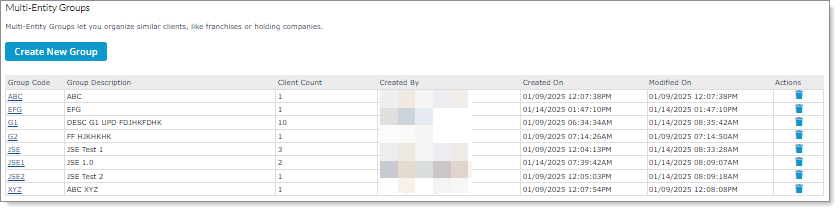
You can use the Multi-Entity Groups form to organize similar clients. For example:
Note: This form is only available for service providers.
To organize similar clients:
| 1. | Select a Group Code. The Multi-Entity Group Details form opens displaying the Group Details. |
| 2. | Enter or select the Client ID. The Client Name displays. |
Note: You must enter at least one Client ID, which cannot contain a space.
| 3. | Click Save. The Client Count and Modified On columns display the updates. |
Note: Select the trash can icon ( ) to delete a multi-entity group.
